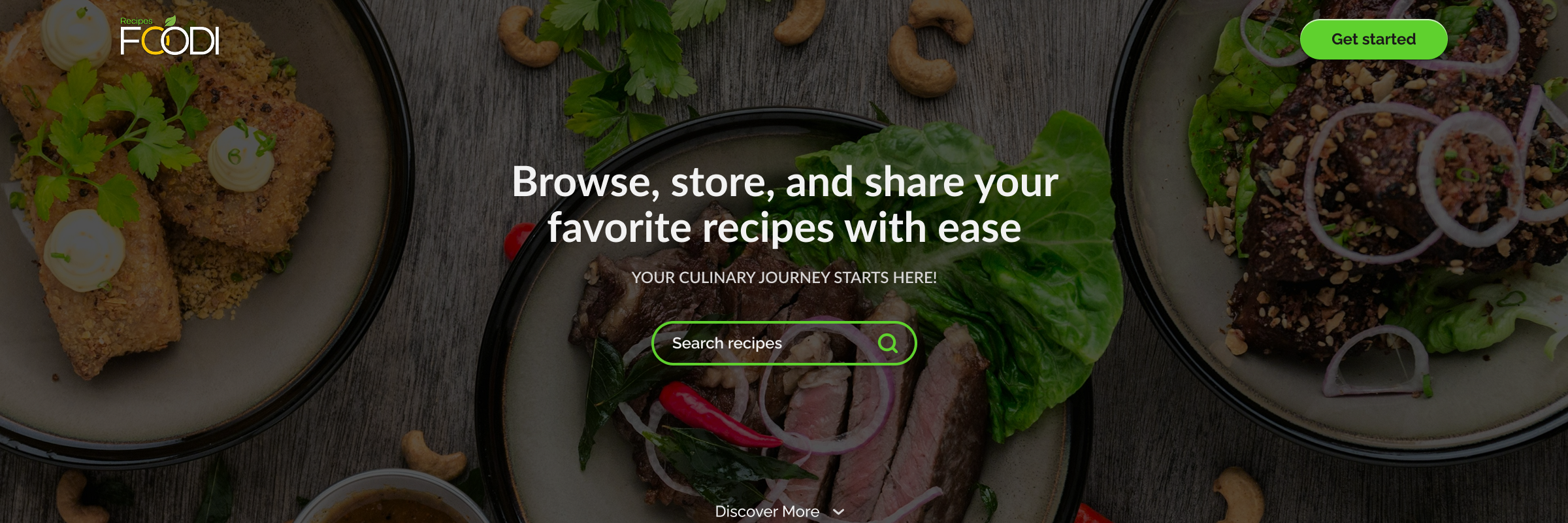




Foodi Cover Image

Foodi

Application to organize and share recipes online

July 2024 - now
Foodi Thumbnail Image

Frontend & Design

Backend & Database

Figma
React.js
Next.js
TailwindCSS
TypeScript
Fastify
Prisma ORM
TypeScript

Overview

Role

Foodi is my personal project that I work on in my spare time. I created a full interface design for it, and am currently developing both the frontend and backend of the application. On the server side, I use Fastify and Prisma ORM, while the frontend is built in Next.js with TypeScript. I work on the project in stages, depending on time availability, but I treat it as a space to learn, test new solutions and improve the end-to-end application development process.

Problem

Recipes are often scattered across notes, PDFs, screenshots, or blogs. It's hard to organize them, and even harder to share opinions or discover new inspiration. What's missing is a single, simple place that combines the convenience of organization with the power of culinary community.

Goal

Create a space that:

  • organizes recipes in one place,
  • makes it easy to share them with others,
  • inspires: through an aesthetically pleasing and light form, focused on the passion for cooking.
Solution

An intuitive cooking platform that allows you to:

  • add your own recipes (privately or publicly), with photos and categories
  • save other users' favorite recipes
  • share recipes with others
  • interact: comment, rate, exchange opinions and experiences

User Value

Foodi allows users to create their own organized recipe database, share culinary discoveries and build relationships through shared cooking experiences. With a lightweight interface, users can focus on cooking, not fighting with the app.
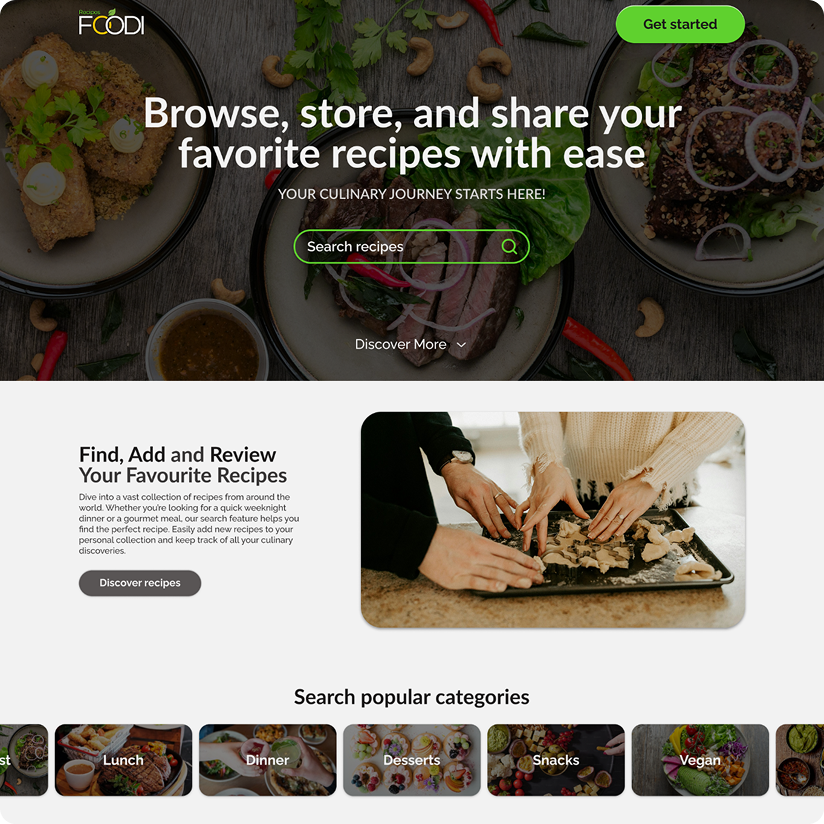
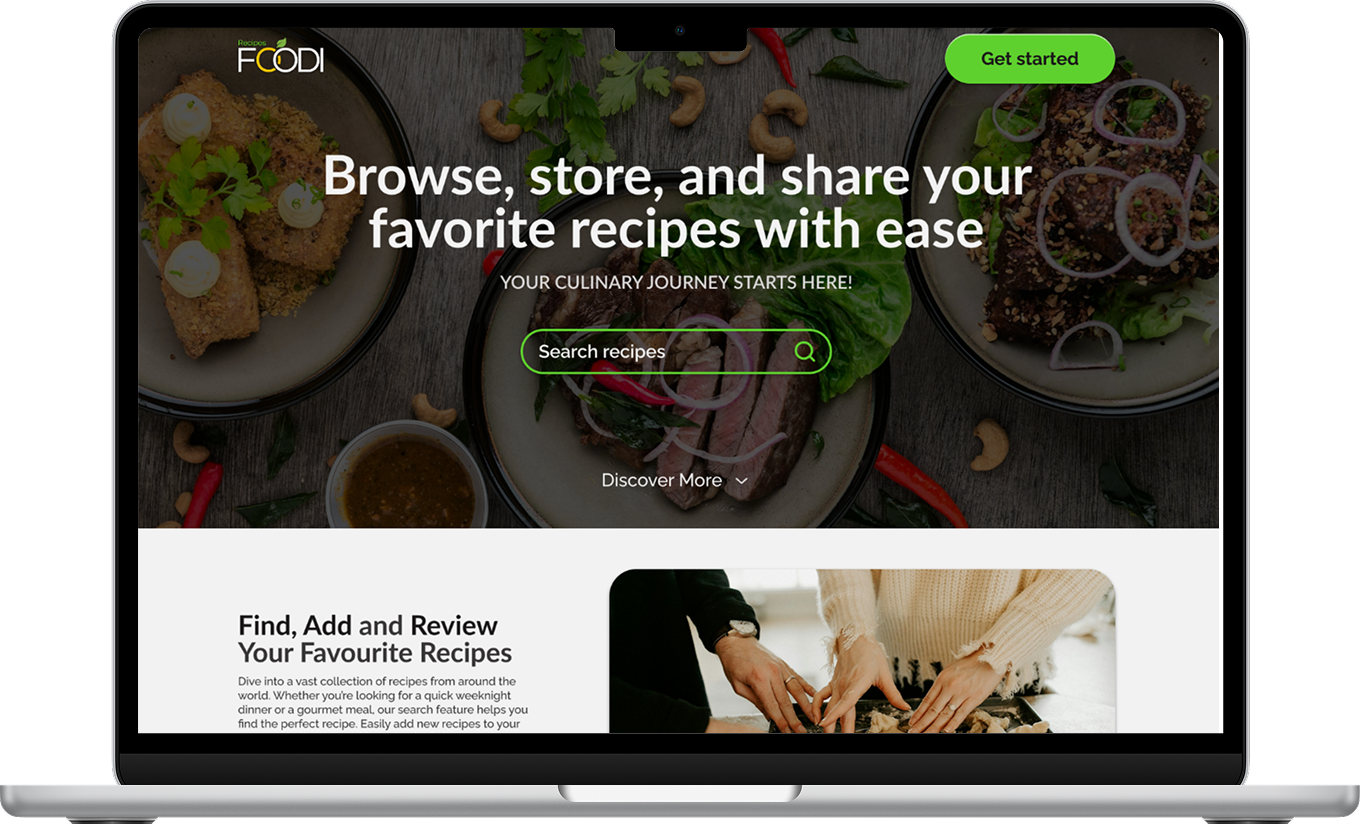
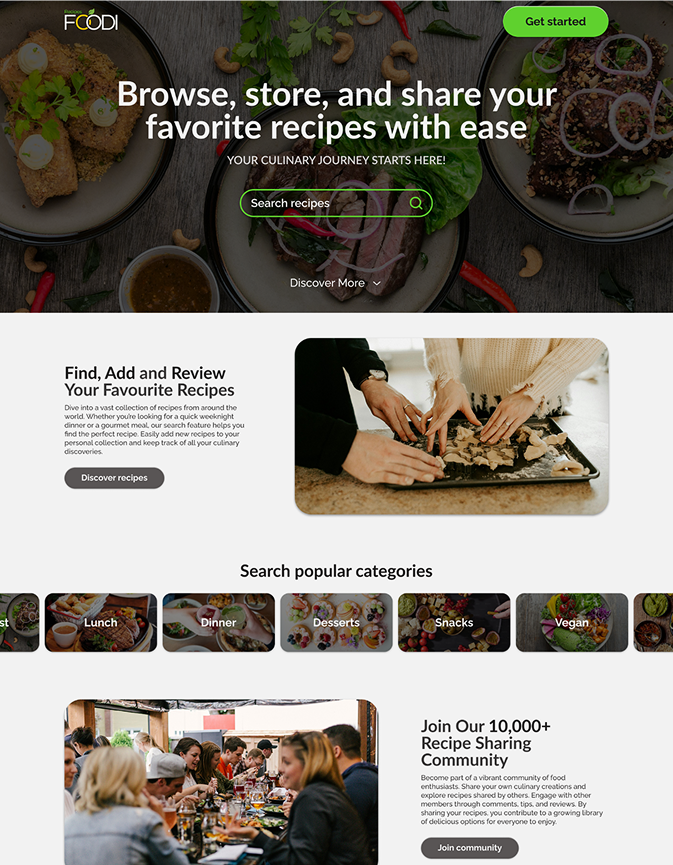
Foodi Main Page Image

Idea

The idea was born from daily observation: first of all my mother, who has kept a recipe notebook for years, but at the same time collects new ideas in cookbooks, on cards, or from the Internet.

Similarly, my aunt: she loves to cook, but keeps recipes everywhere: in browser bookmarks, photos on her phone, sometimes on the back of a receipt. When she wanted to share a recipe with my mother, she herself wasn't sure where she got it from. I noticed that there was a lack of a simple, organized place where one could not only collect recipes, but also easily search them, plan meals and share them with loved ones - and so the idea for the app was born.

Separator

Research

During the research phase, I focused on identifying the daily habits and frustrations of cooking and storing recipes. The main goal was to understand how to simplify the lives of those who cook for themselves and their loved ones on a daily basis.

I conducted:

  • An analysis of the tools and ways of storing recipes that users use (notebooks, screens, messages, apps like Pinterest, Recipes.co.uk, or AniaGotuje)
  • Qualitative interviews with homemakers who combine cooking with work
  • Analysis of needs and problems that arose most often:
    • lack of one place for all recipes (chaos between notebook, phone and browser)
    • the need for a quick reminder of "what I cooked before and how I did it"
    • lack of a simple way to share the recipe with loved ones
    • the need for a simple interface, accessible on any device

Conslusions

Users (especially those who cook regularly) are looking for an intuitive tool that will organize recipes, inspire cooking and save time. Ease of sharing and the ability to plan meals with a shopping list are also important to them.
Arrow Down

Target group

  • People between the ages of 20-45, active in the culinary field (either out of passion or need)
  • Often looking for inspiration online, valuing simplicity, aesthetics and quick access to content
  • Motivated to organize recipes and share them

Requirements

Martha, 34 y.o.

HR specialist, mother of two children

I finally have my recipes in order and don't have to wonder where I saved that curry recipe from last month.

Who she is

  • Martha works full time in an office, commutes to work every day, and when she returns she embraces the house and cooks for her family
  • She enjoys cooking, but doesn't have time to look for recipes in five different places - she has some in an old notebook, some in her phone, some in her bookmarks
  • She often lacks an idea of “what's for dinner tonight”

Main challenges

  • She wastes time looking for previously saved recipes
  • She has chaos - screenshots, links, notes, recipes from friends
  • Wants to cook a variety, but doesn't have time to look for inspiration
  • Likes to share recipes, but sending them via messages is cumbersome

How the app will help her

  • All recipes in one place - organized, easily searchable
  • Ability to plan meals for the week and create a shopping list
  • She can share a recipe with a friend with one click
  • Instead of searching - she gets inspired by recipes from other users
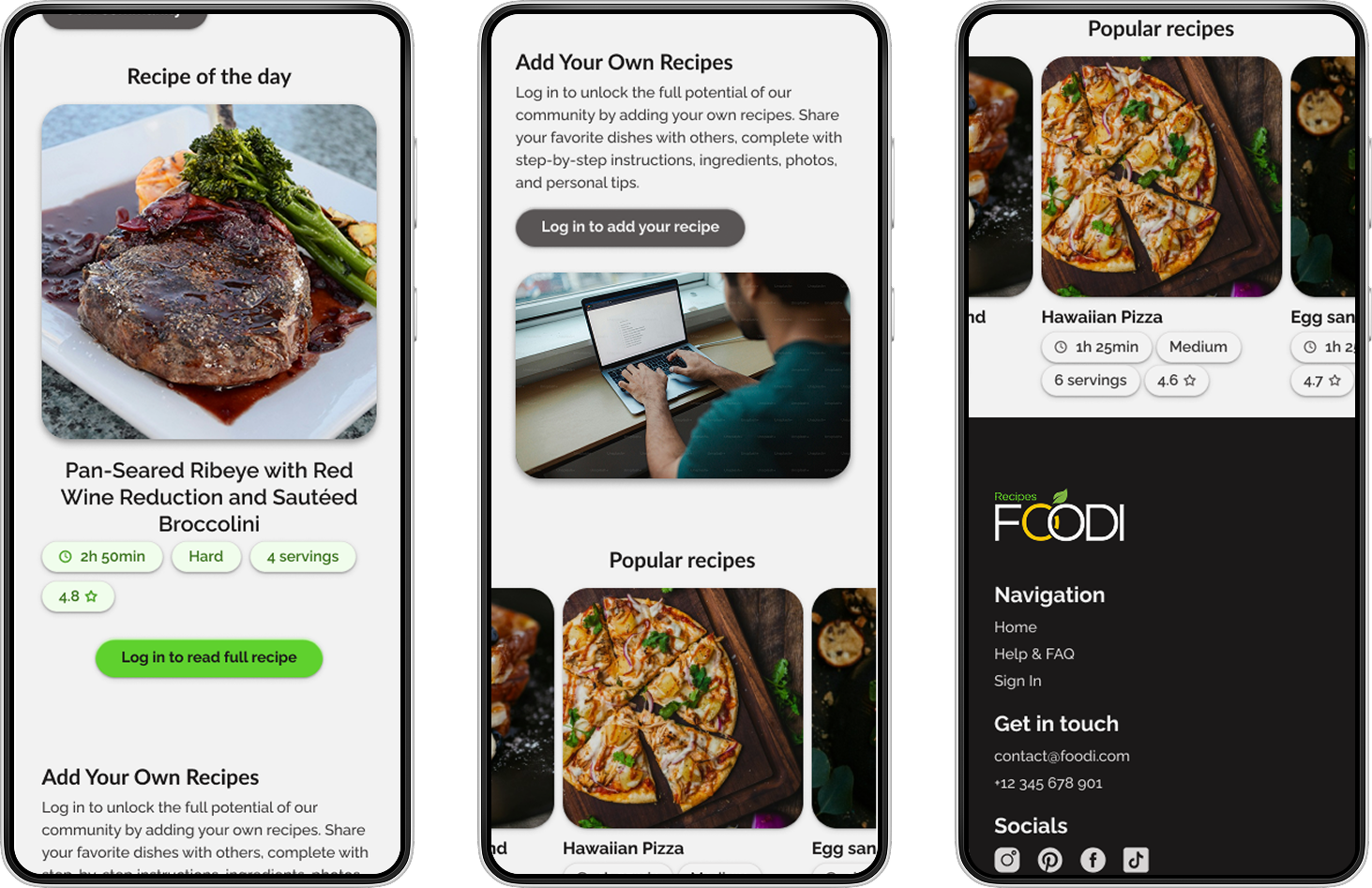
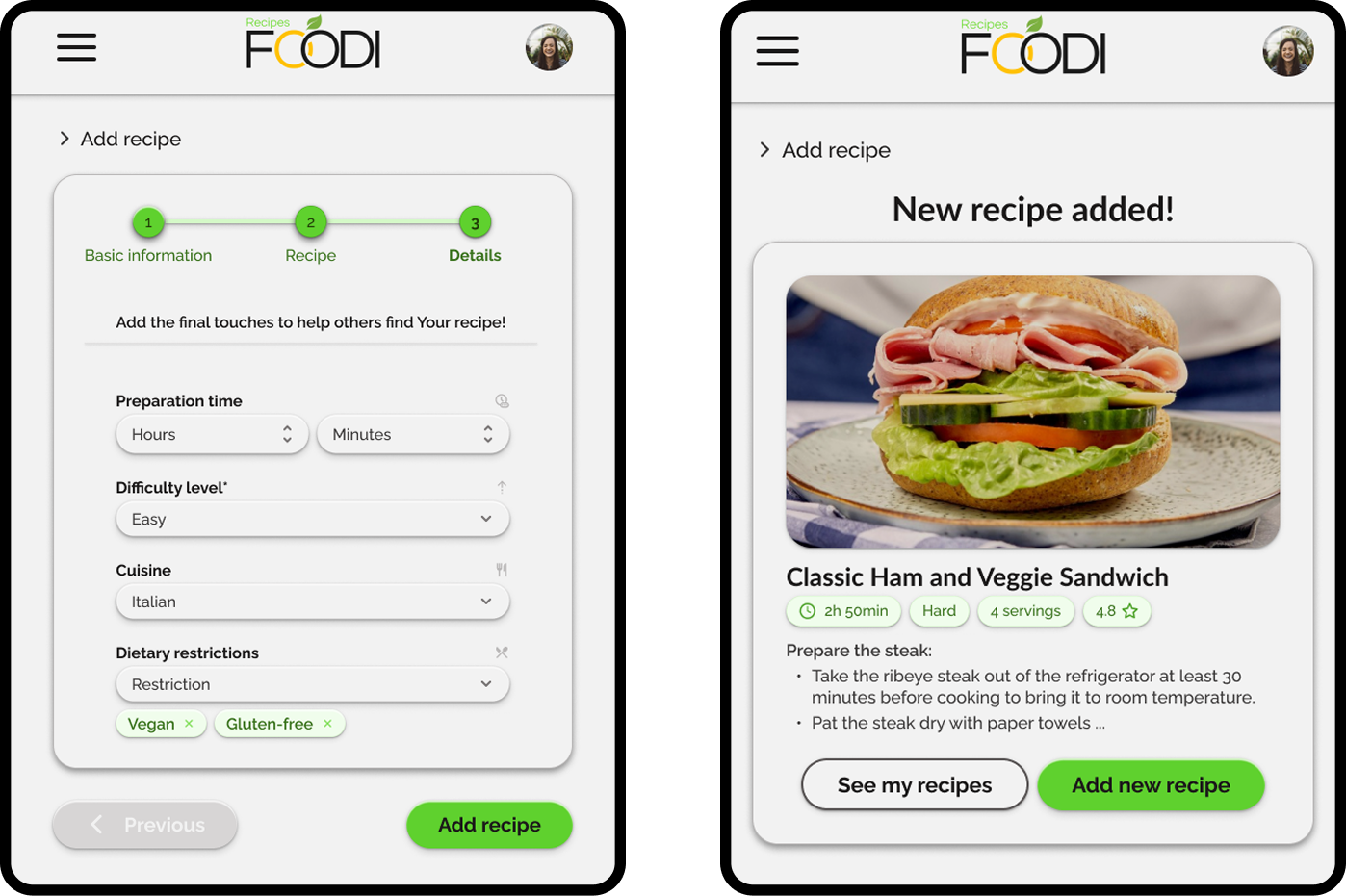
Foodi Phone Images

Design process

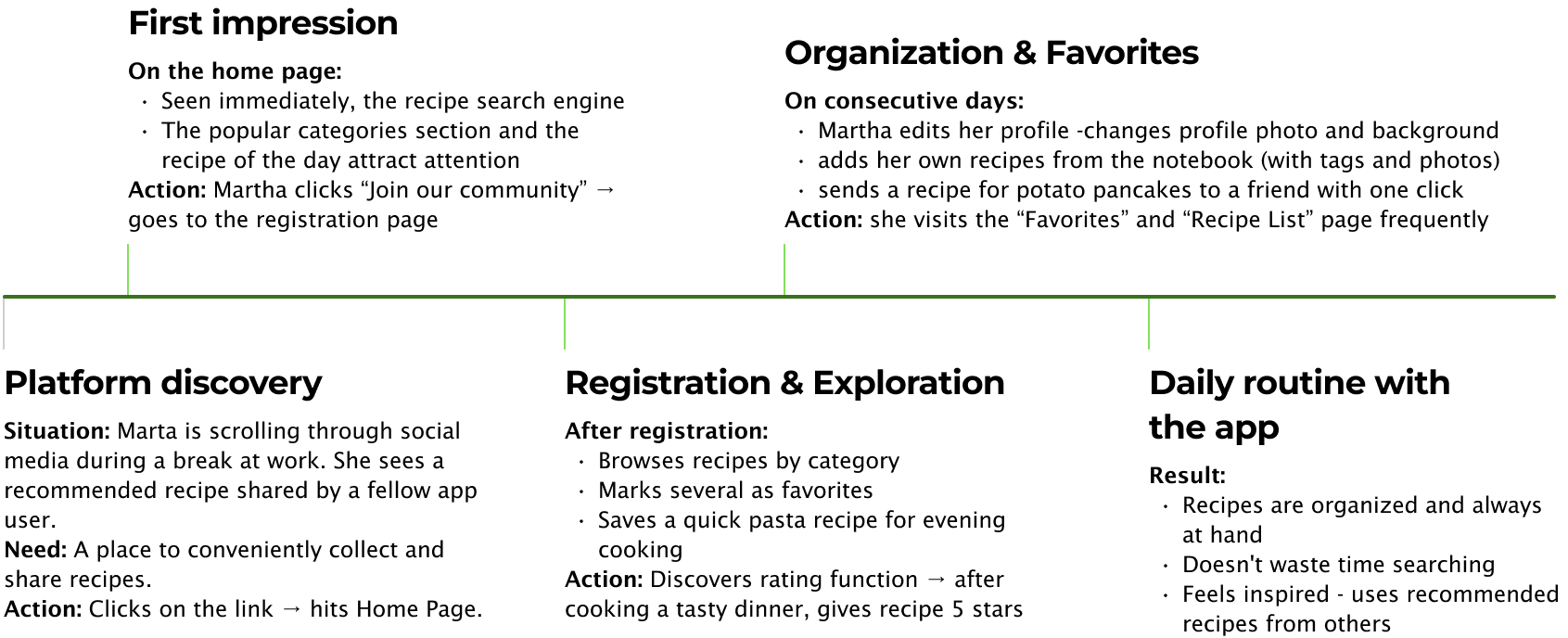
At the UX stage, I focused on understanding users' daily cooking habits and the challenges they face in organizing recipes. Based on qualitative interviews and observations (including my own mother and aunt), I developed a detailed user journey that mapped real-life scenarios of using the app: from spontaneously discovering a recipe to integrating the app into a daily routine.

My goal was to design a flow that is as intuitive as possible, fast and without unnecessary obstacles, and that allows users to focus on cooking and sharing recipes, rather than struggling with the interface.
User journey

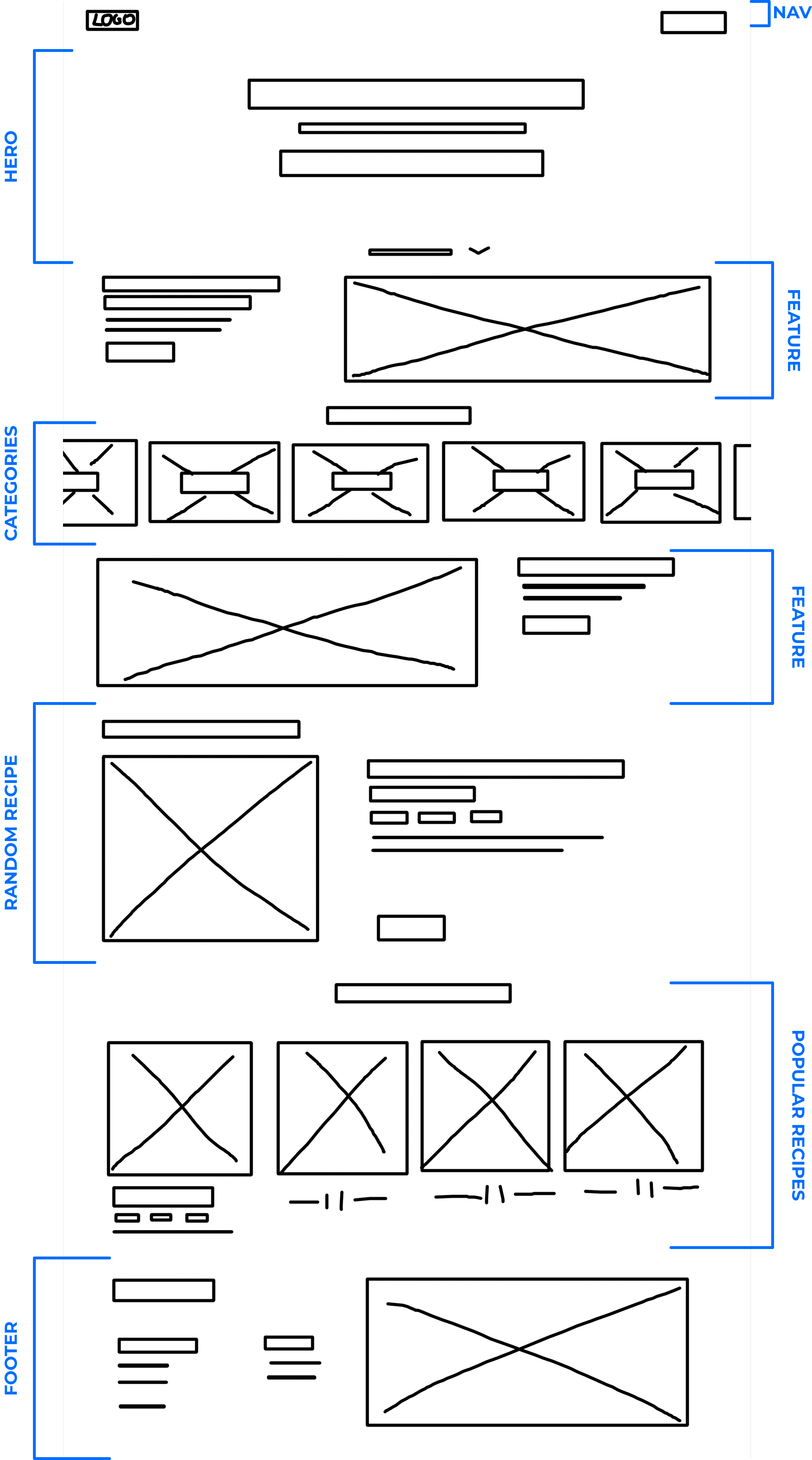
Wireframes

UI

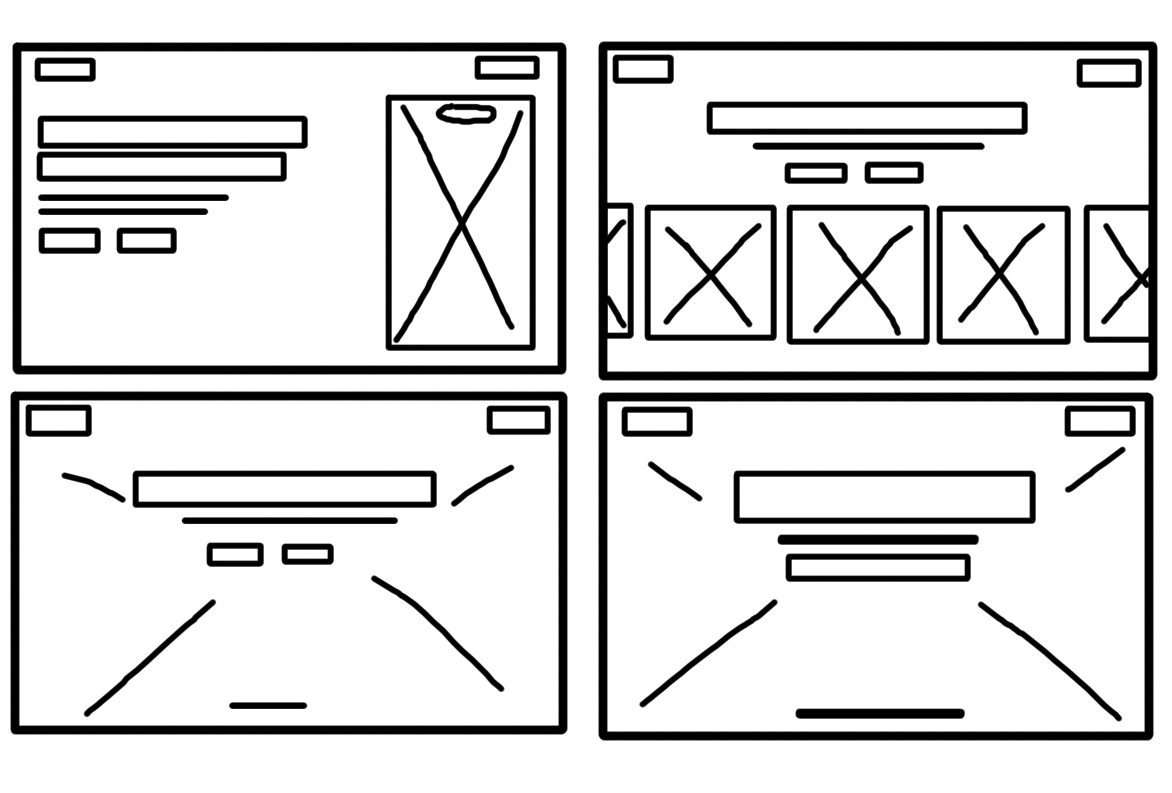
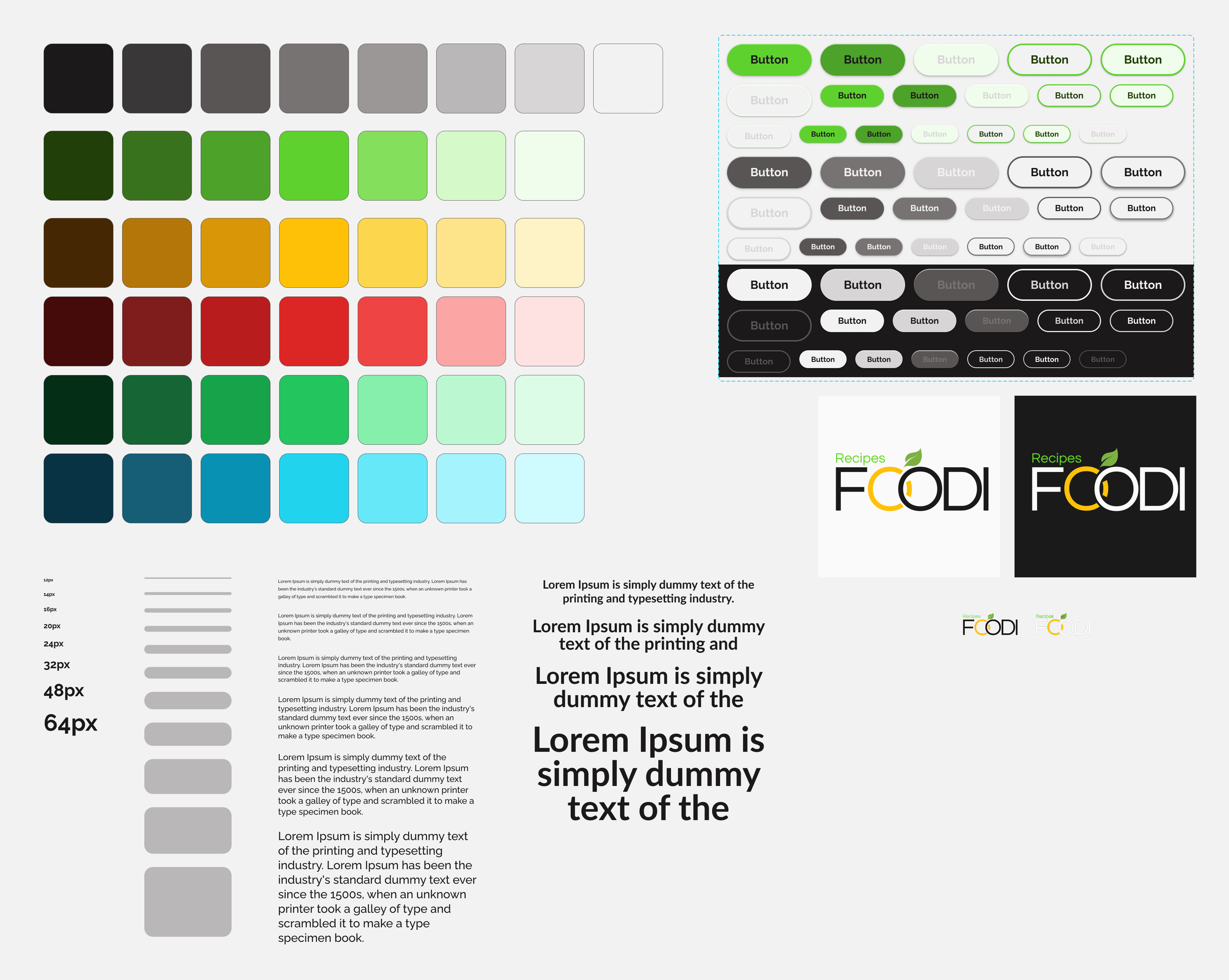
For the project, I created a simple, consistent components library that makes the interface easy to scale and provides visual consistency. I focused on selecting clear typography, a modern color palette, and components tailored for everyday, convenient use.
Implementation

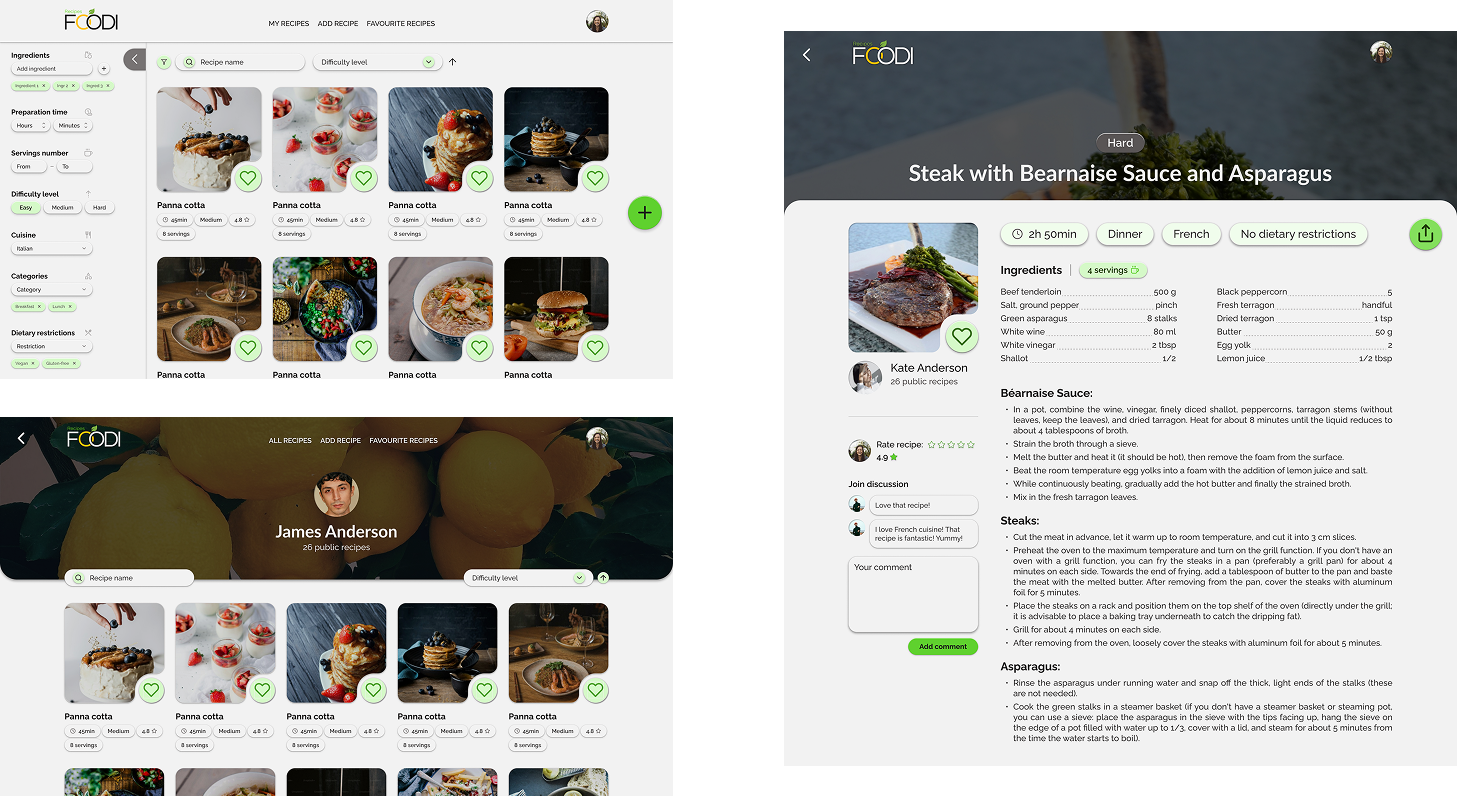
Main page

User page

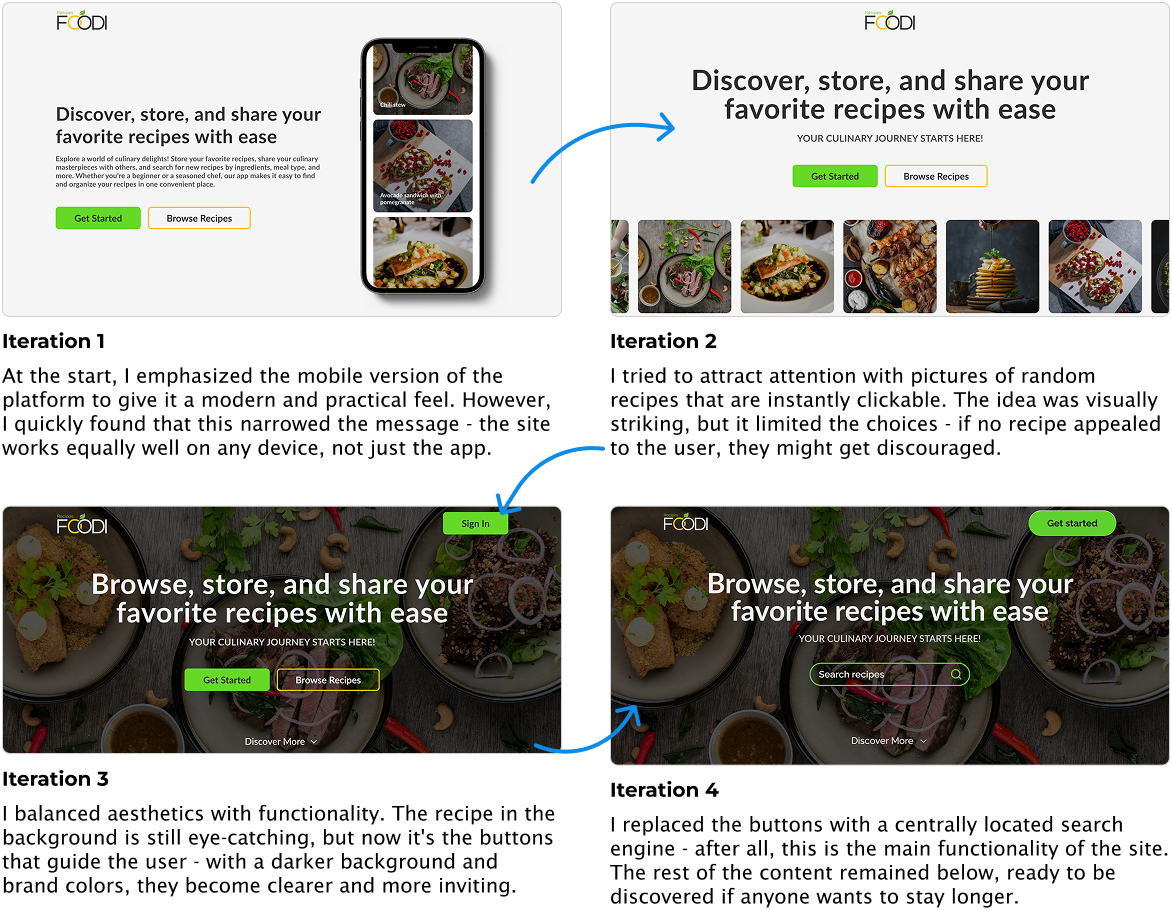
Design

  • I designed the platform interface from scratch, with my own components, color scheme, and typography.
  • I created several iterations, but I focused more on the visual aspect than on functionality testing with users, which I know I could improve next time.
  • I didn't manage to prepare full responsiveness for each subpage.

Programming

  • I learned how to use indexing in Prisma, which significantly sped up searches.
  • I mastered advanced filtering in Fastify for Prisma ORM.
  • I struggled with updating large types in TypeScript. It was challenging, but I learned a lot.
  • I built my own controls (buttons, filters, selects, inputs). It's tedious work, but it gives me a better understanding of how to expand components.
  • I developed a code structure based on a division into types, utilities, styles, and variants - this makes the code more readable.

Optimization and challenges

  • I know I still need to work on SEO and optimize the home page better (it loads too slowly at the moment). Using Image from Next.js and Cloudinary instead of public assets works for now.
  • I came up with the idea of developing a shopping list feature, which I see a lot of potential and growth for the future.
  • I gave up on Next.js Actions because the backend in Fastify fully covers my needs.

Summary

For now, thanks to this project I learned how to combine design and programming in practice, understood the importance of priorities (MVP!), and know that the next step is to work even more closely with users during functional testing (mainly in terms of design).